

Whether you are a beginner exploring CAD design or a professional looking for a reliable solution, choosing the right 2D CAD software is essential. With so many options available on the market, finding the solution that best meets your requirements can be challenging.
In this article, we will explore the differences between 2D CAD and 3D CAD software, along with the key factors to consider when selecting a CAD solution. Whether you are creating architectural plans, engineering drawings, or other design projects, the information below will help you find software that offers the ideal balance of functionality, performance, and cost.
What Is 2D CAD Software?
2D CAD (Computer-Aided Design) software is used to create two-dimensional drawings and designs. It is widely applied across architecture, engineering, and product design industries.
2D CAD software focuses on producing accurate drawings such as floor plans, technical drawings, blueprints, and schematics, enabling users to communicate design concepts clearly while meeting engineering and technical requirements.
The Difference Between 2D CAD and 3D CAD Software
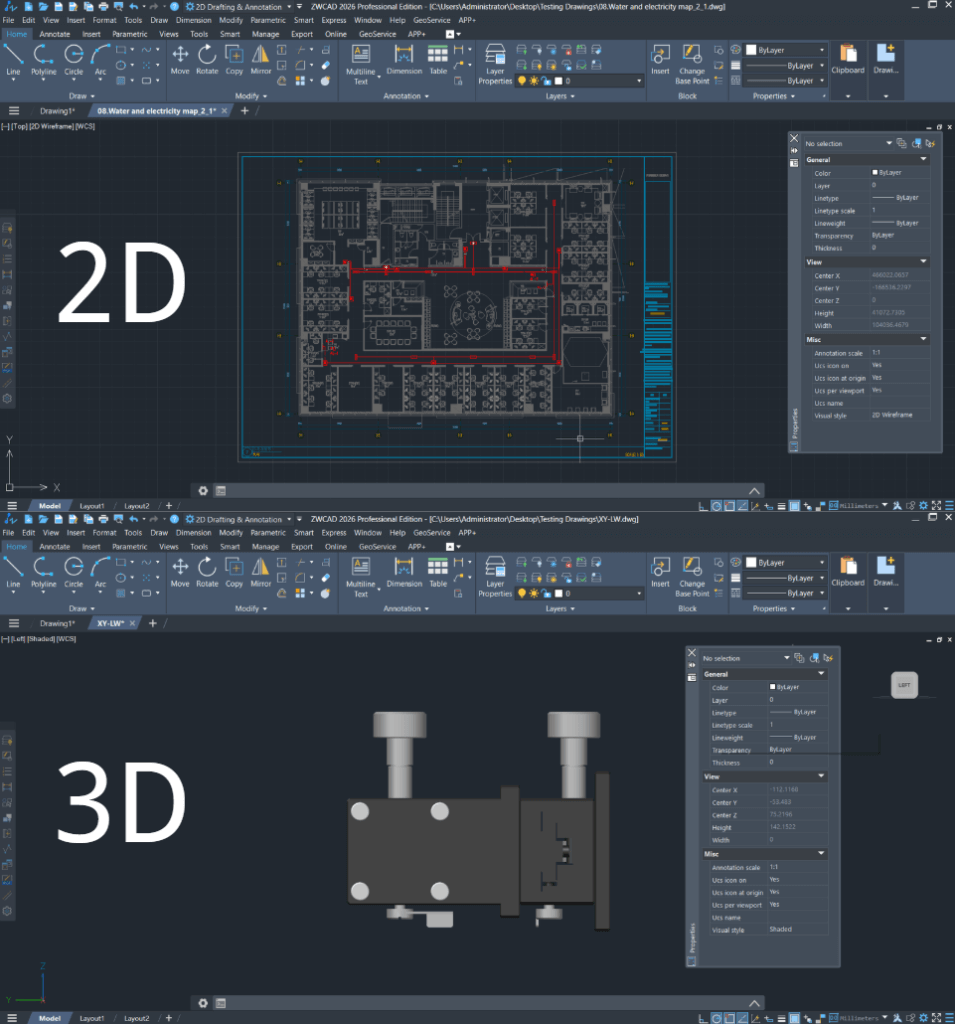
Difference Between 2D CAD and 3D CAD
- Dimensions and Visualization
2D drawings represent objects on a flat plane using only length and width, while 3D models add depth to create a more realistic and intuitive representation of the design.
- Cost and Hardware Requirements
2D CAD software is generally more affordable and requires less powerful computer hardware. In contrast, 3D CAD software is typically more expensive and demands higher hardware performance to process complex models efficiently.
- Accuracy and Level of Detail
2D drawings excel at presenting precise dimensions, technical details, and structural elements, making them ideal for engineering documentation and manufacturing drawings.
On the other hand, 3D models provide a more realistic visualization of products or structures, making it easier to understand the final design and supporting better design reviews, presentations, and decision-making.
How to Choose the Right 2D CAD Software
- Identify Your Industry Requirements
Different industries have different CAD requirements. Architects, engineers, and product designers often require high precision and compliance with industry standards, while hobbyists or beginners generally need fewer advanced features.
- User Experience
Consider how easy the software is to learn and use. Some CAD solutions feature an intuitive interface that enables new users to get started quickly, while professional-grade software provides more advanced capabilities but comes with a steeper learning curve.
- Budget
Budget is another important factor when choosing 2D CAD software. Premium solutions usually offer comprehensive functionality at a higher price, whereas lower-cost or free alternatives may be suitable for individuals and small businesses, although they often lack advanced features.
Why ZWCAD Is the Ideal 2D CAD Solution for Your Business
- Functionality
In addition to essential 2D CAD functions such as annotation, dimensioning, and drawing export, ZWCAD offers a range of intelligent features including Smart Match, Similar Part Search, and Parametric Design. These capabilities help optimize drawing layouts, improve accuracy, and significantly enhance productivity.
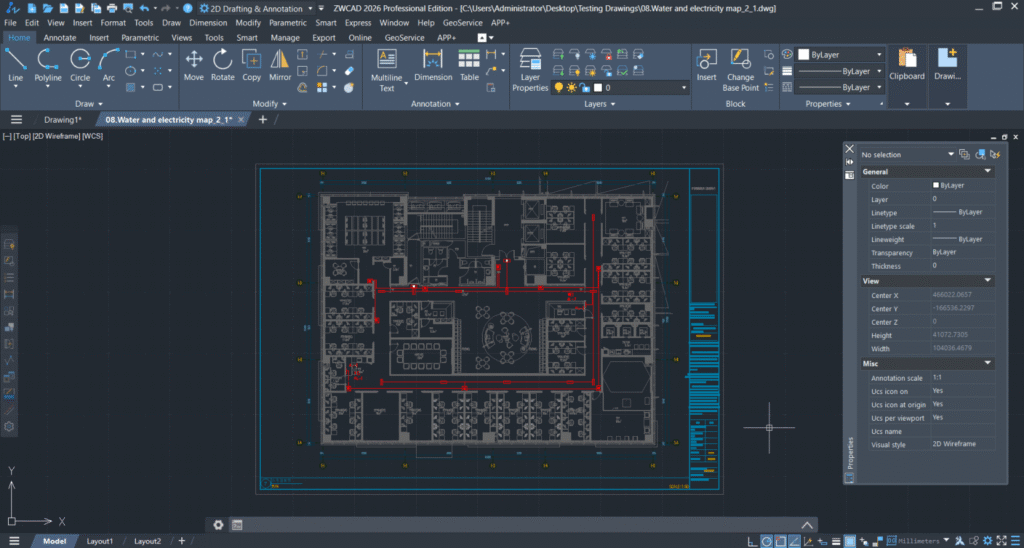
ZWCAD Interface
Furthermore, ZWCAD provides a rich ecosystem of third-party add-ons, allowing users to extend functionality for design modification, validation, and compliance checking.
Its intuitive and familiar user interface enables new users to become productive quickly while reducing training time.
- Compatibility
ZWCAD supports importing and exporting a wide range of industry-standard file formats, including DWG, DWT, DXF, JPG, PDF, PNG, IFC, and STEP, ensuring seamless collaboration with AutoCAD and other CAD software.
- Customization
ZWCAD offers extensive customization through both its API and user interface (UI). It supports LISP, VBA, .NET, and ZRX, enabling users to automate repetitive tasks and build customized workflows.
In addition, its AutoCAD-like interface allows existing AutoCAD users to transition smoothly while maintaining high productivity.
- Performance
ZWCAD delivers outstanding performance for 2D drafting, enabling engineers and designers to work faster and more efficiently.
For complex 2D drawings, ZWCAD performs up to 1.98 times faster than AutoCAD, helping reduce design time and increase overall productivity.
- Cost
With its perpetual licensing model, ZWCAD allows businesses to make a one-time investment and use the software long-term. This significantly reduces total ownership costs and makes it an ideal choice for organizations seeking to avoid recurring annual subscription fees.
Summary
Choosing the right 2D CAD software depends on your specific requirements, budget, and technical needs. By evaluating factors such as functionality, performance, compatibility, customization, and cost, businesses can select a solution that best fits their workflow. With its powerful features, outstanding performance, excellent compatibility, and cost-effective perpetual licensing model, ZWCAD stands out as a reliable and efficient 2D CAD solution for improving design productivity.
Contact us for free and detailed advice